Tampilkan postingan dengan label Tips. Tampilkan semua postingan

Jumat, 13 Januari 2012

How to Choose a Laptop For Graphic Design

How to Choose a Laptop For Graphic Design | Laptops for Graphic Designers | Which one do you prefer to get your graphic design project done, on your desktop or laptop? There was a time when graphic design professionals was really  relied on their desktops PC for their work. Graphic designing on a laptop was not an option because -  mostly – laptops  were slower, too delicate to use, and of course, far more expensive than a Desktop PC with higher specification. Anyway, as people are now more mobile, the need of laptop for graphic design is now inevitable.

But that was a few years ago. Things have changed drastically. Today’s laptop uses latest hardware and software that enable it to perform much better exceeds what a Desktop PC could do in a years or two ago.

If you do need a laptop for your graphic design project, the first thing you’ve got in mind is to find a laptop which is strong enough to get your works done without wasting your time and also cheap enough to buy.

Most of graphic designers considers Apple Macbook as the best laptop to replace their desktop. Well, it is hard to deny that people would easily related graphic design with Apple. The problem is, however, that not all designers can afford Apple MacBook – they are much more expensive than their Windows laptop.

Today, the nice thing for graphic designers is that they can buy laptops from brands like Dell, Toshiba, Asus, and other for half the price of the Apple models. These Windows’ laptop are generally cheaper.

Ok, now let’s see what we must consider before finally pick a laptop for graphic design.

  • Large screen: A laptop for design work should have a large screen. Designers should pick a model that has at least a 16 inch screen – bigger is definitely better. However, screen size in inches is not the only way to measure. Screen resolution in pixels also plays a decisive factor. Many laptops today sport a default resolution of 1366×768 pixels. However, graphic designers can opt for a laptop that offers a resolution of 1600×900 pixels. Design professionals should opt for large screen laptops because screen real estate is ideal for working with two or more apps at the same time. Here portability is not the priority.
  • Fast processor: A laptop meant for multimedia and design work should have a fast processor and oodles of RAM. The Intel Core series CPUs are really fast and they help in smooth multitasking. There are some models running on AMD Phenom triple core CPUs but they are a tad slower than their Intel counterparts. It is hard to gauge the true capability of a CPU just from the tech specs though. The latest Intel Core series CPU based on the Sandy Bridge architecture are the fastest according to industry experts. They not only offer fast performance but also consume less battery. If you want to see how a specific processor stacks up, here is a great resource for checking processor speed.
  • Lots of RAM: Designers should opt for a model that has 6 to 8 GB of RAM as anything less is not suitable for multitasking. To get maximum RAM memory, you should choose a laptop model that comes with 64 bit operating system installed (e.g., Windows 7). This is essential because only 64 bit Windows OSes support more than 4 GB of memory. Once you’ve worked on a machine with 6Gb or more of memory, you’ll never want to go back.
  • Separate graphics card (GPU): If you can afford it, all web designers should opt for a machine with a separate graphics card. Many of the latest processors have on-board graphics cards that will work fine, but these types of graphics cards share the system RAM and processor power with other functions. For maximum performance when using powerful apps like Photoshop and CorelDraw!, design professionals should get machines with discrete GPUs, such as cards from Nvidia. These cards should have memory of 512 MB or 1GB. Some laptops, such as high end models from Sony and HP, sport Nvidia Optimus technology. This technology enables users to switch from the integrated graphics to the discrete GPU in the laptop without requiring a reboot. Designers should also make sure that the GPU used in the laptop is capable of supporting dual monitor setups. This is often a prerequisite for hardcore graphic design work.
  • Warranty: Since designers are not always computer jocks, a laptop for design tasks should come with longer warranty and excellent customer service. Designers should check out the support policy of a company before buying model. The multimedia laptops can be expensive and spare parts can also be costly to replace, so a good warranty can save you in the long run. The laptops also come with useful apps preinstalled. It is useful to buy the models that come with OS recovery DVD and driver CDS.

Hopefully these tips will help get you going in the right direction in your quest for a new graphic design laptop. In addition to the items above, designers may also also want to consider investing in some laptop accessories like cooling pads and cleaning kits etc. These accessories can be useful for proper maintenance and increasing the longevity of the device.

source: Carol Brown

Rabu, 04 Januari 2012

What Laptop Should I Buy for College in 2012?

Choosing the right laptop for school is an important decision, a lot of school work you do will be produced and submitted electronically so a laptop that helps you to work efficiently can make you more productive and successful in school. Think of choosing the right laptop as choosing the right tool for the job, making the right decision can make the work a whole lot easier. Several factors go into making a laptop well suited for students, budget is obviously a big concern but with the power of todays laptops you can get a lot of performance for a reasonable price, and there’s no need to spend $1,000. Here’s a set of guidelines to follow in choosing a laptop that is well suited for college:

  1. Screen Size and Weight – The most popular screen size laptop on the market is between 15 and 16-inches, but that doesn’t mean it’s the best size for the average college student. An average 15-inch screen laptop weighs over 5lbs and combine that weight with a bag full of textbooks and you might as well pre-schedule an appointment with a chiropractor, your back will be hurting. Add to that the fact lecture hall desks are often tiny and the footprint of a 15” laptop will not fit and you’ll see that a more prudent screen size laptop for on campus is between 11” and 14” — a nice portable size and big enough for comfortable screen viewing.
  2. Long Battery Life – There’s a good chance you’ll have some lectures that last for 3 or more hours or have the need for a laptop to last you through back to back classes without the ability to plug in your laptop. If your laptop only has a couple of hours of battery life then you’ll be out of luck for taking notes or referencing material on your laptop when the battery conks out. It’s very important to get a laptop with at least 4 hours of battery life on a single charge, and if not make sure your laptop has a replaceable battery and take a spare battery with you.
  3. Manufacturer Reliability and Support – When you buy a laptop you’re also buying into a brand so you should research what the support and warranty will be like from that company. If you get unlucky and your laptop has problems it will be important to get help and have it fixed fast so that you don’t lose productivity. A strong manufacturer warranty and a reputation of good support are important items to consider.
  4. Durable Build Quality – It might be tempting to get a $300 laptop made entirely of plastic, but such laptops might not survive the rigors of campus. Consider that the laptop will likely be smashed into a tightly packed bag, jostled around as you walk around campus and repeatedly pulled in and out of a bag and placed on desks and you can see how something built durably is a necessity. Look for features such as metal casing or internal chassis that make a laptop more sturdy.
  5. Cool running– The number one cause of laptop failure over time is heat buildup that leads to parts getting stressed and eventually breaking. Heat is bad for a laptop and also bad for your comfort if it’s sitting in your lap! Do your research and make sure to get a laptop that uses superior cooling techniques and components that use less power as that translates to less heat. A mid-range dual core mobile processor and integrated or switchable graphics are often good component choices. Don’t get the fastest processor and graphics card you can find, they generally create a lot more heat and use a lot more power.
  6. Modern Dual Core Processor – Processor technology has come a long way in recent years and the latest laptop processors from Intel and AMD are great choices. Look for either Intel Core i3, Core i5 or AMD VISION branded processors to know you’re getting the latest technology and something well suited for student needs.

Student Discounts on Laptops

Before you hit the buy button at any online retailer for computers it’s good to check if they offer a student discount. Many of the major manufacturers for computers do, so here’s a quick list of how to access the student discount portal:

Conclusion

College can be hard, choosing the right laptop shouldn’t be, but with all the choices out there in 2012 and the stiff competition among manufacturers choosing a laptop can become overwhelming. Hopefully this guide serves to help you narrow those choices down, any of the laptops highlighted will serve you well throughout college. And if you find another laptop not mentioned here that meets the guidelines we set forth then you should feel comfortable knowing you’re making a good decision.

Technorati Tags: ,,

Kamis, 04 November 2010

How to Choose the Best Laptop for College Student

If you are a college student, choosing the best laptop that suits with your need is not really easy. There are so many laptop manufactures that proudly declaring their laptop is the best. I’m sure that you agree with me that they are not lying. Have you scratched your head because of those confusing information about the brands, sizes, warranty packages, and of course prices of those best laptops? Well, if you do so, here are some tips you can use in choosing the best laptop for college student. You can use these tips to help you deciding which one of laptops that have already in your mind to buy. It is important to understand what the differences between choosing the most needed laptop and the most wanted laptop. Lets take a look:
1) What the laptop will be used for. This is actually the very first consideration before buying almost every stuffs. And buying best laptop for student is not an exception. Ask yourself: are you going to use the laptop for web designing? Or, is your study requires you stay connected with the internet? Are you going to use it to work with heavy applications like Adobe Photoshop or Corel Draw, or even Autodesk 3D Studio Max? Or maybe you are just going to do simple computing routine like typing your papers?Those questions requires your answers to help you finding the best laptop without spending too much money on it unnecessarily. Keep reading as you will find the answers of these questions in the summary. Lets ask a few more questions before we decide though.
2) Do you need to do any upgrades to your laptop? This is the second biggest consideration after you decided on what the laptop will be used for. The first year college students may have different needs compared with the second, third, or last year students in their computing routines. Now, decide which one is better for you, upgrade your laptop? Or buy a new one when your need to do more with your laptop? Buying a new laptop is not always a good choice when your budget is not allowing you to do that. So, the first option is maybe better for you. That’s why, consider to find an upgradable laptop. The  very first thing to upgrade is the laptop’s RAM (Random Access Memory), and then the laptop’s hard drive, and other accessories. Ask your local dealer whether your chosen laptop is upgradable. At least on those crucial items. This upgradability will save you a lot of money in the future. Once again, don’t waste your money on what you do not exactly need.
3) The size does matter. I’m trying to remind you of those Godzilla. Here is the case, you are going to move a lot. From your house or lodging house to campus, or from class to class. Don’t put your mildly expensive investment dropped on the ground when you are in hurry. Or don’t let your shoulders hurt because of such a heavy laptop’s bag. Believe me that you have to consider your laptop as your spouse. It is your primary study tool. You’ll get yourself in trouble when your laptop doesn’t bring you comfort in life. So, if you think that you are going to move a lot, pick the laptop that doesn’t requires you to go the massage parlor every week end. But don’t forget that the smaller the laptop the smaller also the keyboard. If you you have ten big fingers, then the 12 or 13 inches laptop will be good for you.
4) Money. Of course money is not the most important factor to consider in buying laptop for college student. As technology improves in leaps and bounds every year that goes by, you are going to find that the costs become less. But we do have to find a happy, acceptable medium between all the points we have put into consideration so far.
Here we come to the pre-conclusion (the final one is of course in you (and your parents))
How to choose the best laptop for college student? What to consider when searching for the best laptop for college students?
  1. Desired usage
  2. Laptop’s upgradability
  3. The size
  4. The best laptop prices that have all medium requirements
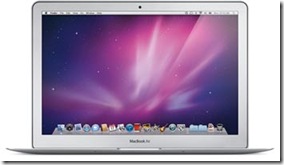
Have you found your laptop yet? I’m not selling one of those. But here is my recommendation. The Apple MacBook Air series. Right now there are two options, the 11 and 13 inches MacBook Air. Read the MacBook Air review. The reason is simple, they are known for their iron-clad resistance to viruses, lots of free software that come standard, will make you look good, and easy learning curve. If you are now using PC’s with Windows OS, you can simply adapt yourself into this machine for now you can have Microsoft Office installed MacBook.
If MacBook Air is too expensive, you still have many other laptops for college student.
Buy Apple MacBook Air here